

The Denison Leadership Program 2027-28 registration opens Tuesday, November 10, 2026 4:00 pm and closes Friday December 4, 2026 4:00 p.m.
Once your Edsby account is activated, select the [Registration link (Denison Leadership Program 2027-28)] and login to Edsby with your email user name and password and follow the instructions below:
1. On your Edsby home page, click on 'Registration Campaigns'.

2. Which child do you wish to register for this program: If you are a YRDSB parent who has activated their Edsby parent account, select your child's name from the dropdown list in the first section and click 'Next'. Only those children who are currently in grade 8 are eligible and will be available in the list. Since your child's information is on file with their current school, you will automatically proceed to Step 4, 'Add Parent/Guardian Info'.
If you have never activated an Edsby parent account, select 'Register a New Child'.
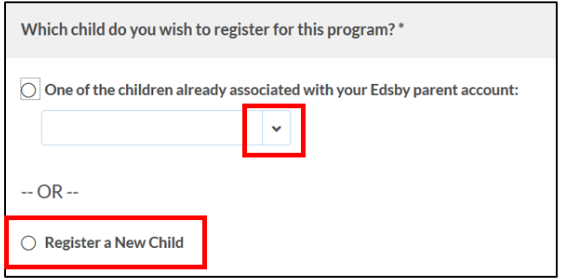
3. Register a New Child: Complete the 'New Student Information' page.
Tips for completing Student Information:
- Fields marked with * are mandatory.
- In the 'Address Search' field, begin typing the street number and street name and select the correct address from the search results.
- IMPORTANT: the student e-mail address entered here will be used for communications.

NOTE: For non-YRDSB students ONLY, select 'New/Out of district' as the 'Current School'. You will be prompted to upload a copy of your Grade 7 final report card as part of the application process.

The report card upload step is required for non-YRDSB students ONLY.
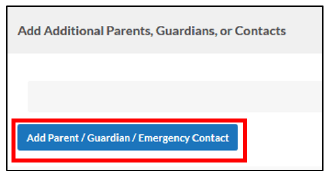
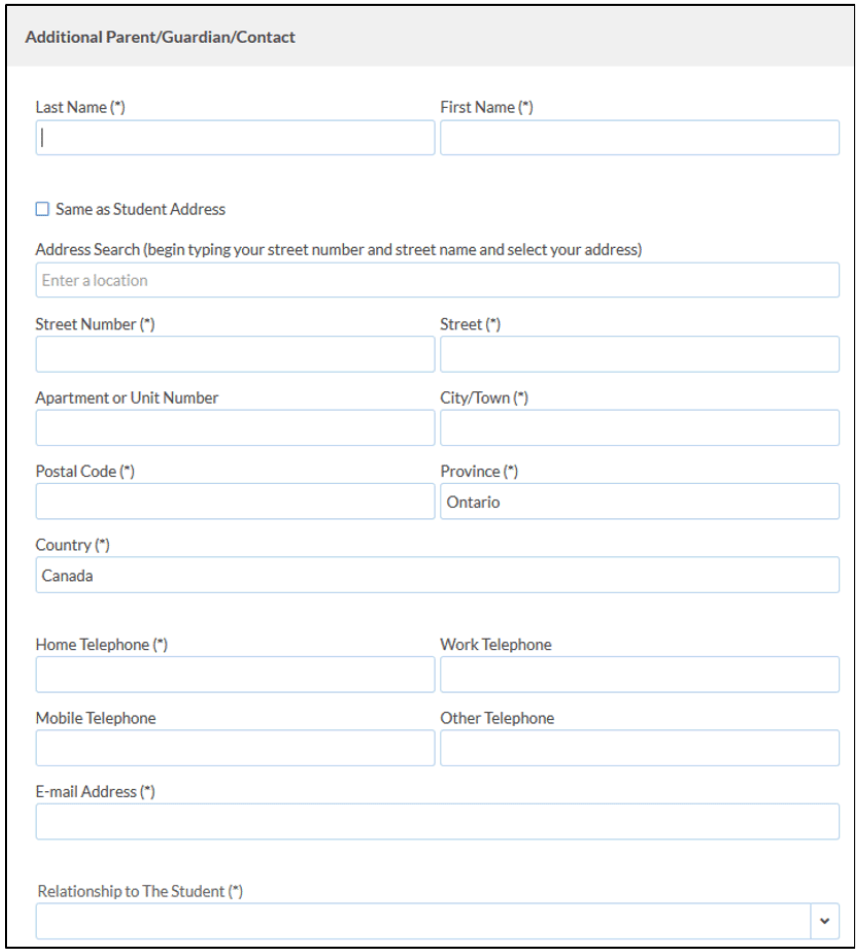
4. Add Parent/Legal Guardian Contact: The registration must include one parent/legal guardian contact record. Click 'Add Parent/Guardian/Emergency Contact' and complete the 'Additional Parent/Guardian/Contact page and click 'Save' to proceed.
5. Pay – Shopping Cart and Checkout: If the item description appears correct, click 'Add to Shopping Cart. Then click 'Proceed to Checkout.

On the next 'Pay' screen, click 'Register another student' to add a registration for another student to the same transaction OR click 'Proceed to Checkout' and continue your payment.
NOTE: Two fees will be charged if two selections are made and they will appear on the Pay and Cart checkout screens.
On the final 'Pay' screen, click 'PayPal Checkout' to proceed with the payment OR click 'Cancel Selected Items' to remove the item from your cart.

8. You will be directed to the PayPal site where you will select one of the following payment types:
- Credit Card (VISA/Mastercard) - please ensure you have selected "Canada" as the Country/Region.
- OR PayPal Account

*Note that you do not need a PayPal account to pay by credit card.
After entering your credit card/PayPal account information, click 'Pay Now' to submit your payment.
After the payment is processed, you will be redirected back to Edsby to the ‘Registration Submitted’ page. You may print this screen for your records. You will receive an email confirmation from PayPal with your payment details.
Your registration is now complete and you may logout of your account now.